New Flic Twist features for the Hub SDK
-
@Emil when I am on this screen
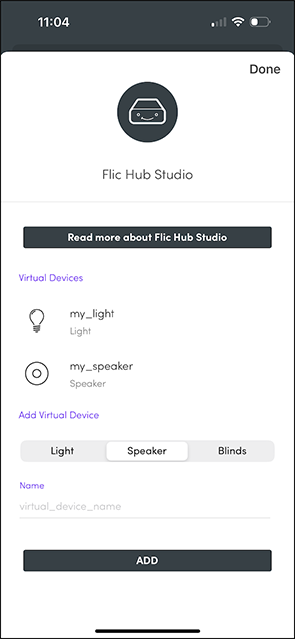
When I tap on the virtual devices on iOS, nothing happens, there are no options, I can't delete them. I can add more however.
I have tried tap and hold, I have swiped in all directions, quick taps. Not sure how to remove any of these and they seem to persist even after deleting the app and reinstalling. I'm sure they're stored on the hub itself. Would resetting the hub clear them? is there a way through the app to remove Virtual Devices I've previously added?
-
@nathan-scofield If you press the item there should be the option to Delete it?
-
Hello, I've created some virtual devices and successfully used the functionality for custom twist actions running through the SDK. But I can't find any way to delete the virtual devices I've previously created under the Add Devices>Flic Hub Studio menu. If I click the 3 dots I can add more but is there any way to remove them or will the list just continue to grow larger?
-
@Emil Apologies for disappearing for a bit. I was clicking the red trash-can icon as you suggested, however this didn't appear to change firmware upgrade behavior.
Since it seems like whatever issue is occurring might be device-specific, I'll move this to a support ticket to reduce spam for others following this thread.edit: Factory-resetting the Hub seems to have fixed it? I had some trouble getting the factory-default password to apply when connecting from a new phone - a couple of resets were needed, but deleting the hub from DM after resetting and immediately triggering a firmware update seems to have gotten my Hub onto 4.4.6.
-
@hmmwhatsthisdo Could you elaborate what you did when you unregistered the hub from device manager? There should be a red trash can icon which will delete the hub. Make sure you are not just removing it from a group or similar but remove it completely.
-
@Emil Even after unregistering the Hub from Device Manager, triggering an update from 4.3.9 (from DM) reinstalls version 4.2.14. Trying to update the firmware again yields the same "Firmware already latest version" message.
-
@Emil Sure, I can try unregistering the hub from Device Manager again and see if that changes things.
However, as I was mentioning earlier, I don't recall using Device Manager before this evening: My DM2 account was set up this evening, these are consumer (not corporate) devices, and I don't have anything in my email suggesting I had interacted with an earlier version of Device Manager in the past.
It seems odd that the Hub was stuck on firmware version 4.2.14 even before registering with Device Manager.
-
@hmmwhatsthisdo Sorry, I was maybe too fast typing my reply or not clear enough. The hubs on the Device Manager path have slightly different firmware builds compared to firmwares for non-device manager. Therefore, the "latest stable" on Device Manager does not necessarily correspond to the same latest stable version for the normal consumer firmware as we require different testing for Device Manager hubs vs consumer hubs. The Device Manager firmwares might also lag a bit in regards to functionality compared to the consumer version.
That said, I now see that the Twist features have yet not reached the firmware used for Device Manager hubs. I will escalate this issue and try to get it resolved ASAP. In the meantime I suggest that you deactivate Device Manager for this hub if you want to try out the feature.
-
@Emil Picking 4.3.9 has at least gotten it to update that far. Setting the firmware config back to "latest stable" afterwards and triggering an upgrade in-app caused it to downgrade to 4.2.14 again, which was certainly unexpected.
-
@Emil Reregistering the hub with Device Manager shows it is indeed configured for "latest stable":
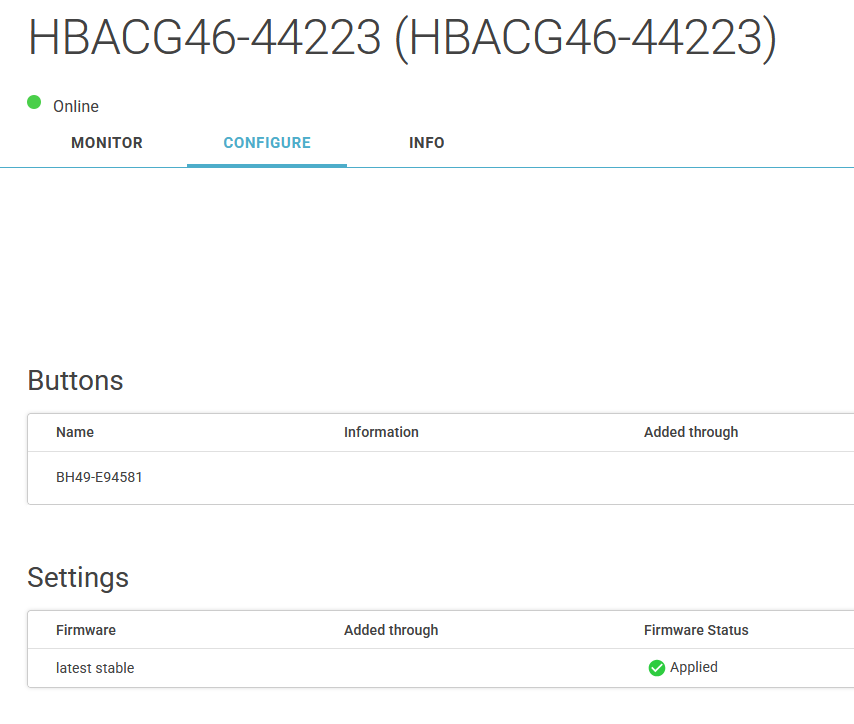
Triggering a firmware update via the app while the Hub is in this state yields the same behavior ("Firmware already latest version")
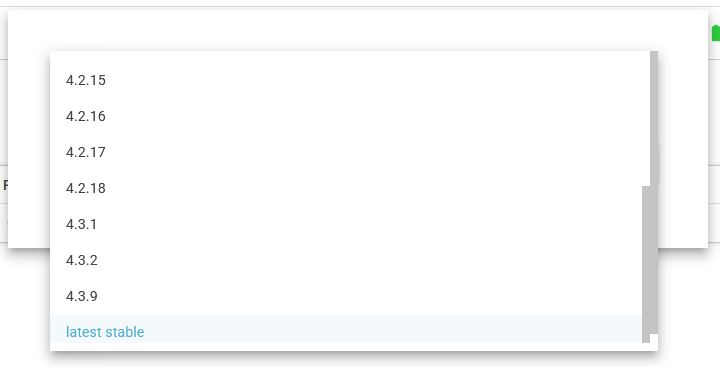
Deleting and re-adding the Settings component (with the same config) has the same effect. I'd manually set it to 4.4.2, but the latest available in Device Manager is 4.3.9:
-
@Emil Yeah, I had tried setting up Device Manager this evening to figure out options for managing modules via GitHub Actions. The firmware not updating past 4.2.14 has been occurring for longer than that. (I recall looking at the firmware update config options in DM and it did show "latest" though)
Let me re-register the device (interacting with the Hub via Device Manager caused my Twist to unpair, it seemed) and see if I can get it to a newer version.
-
@hmmwhatsthisdo I see. That hub is registered with the Device Manager. With the Device Manager activated, you select yourself which firmware version you want it to have in the Device Manager portal. Try to select the latest version instead and then trigger a firmware update.
-
@Emil So, that's the weird thing. I hit the "Check for new firmware" button in-app, then the app suggests a new firmware version is available:
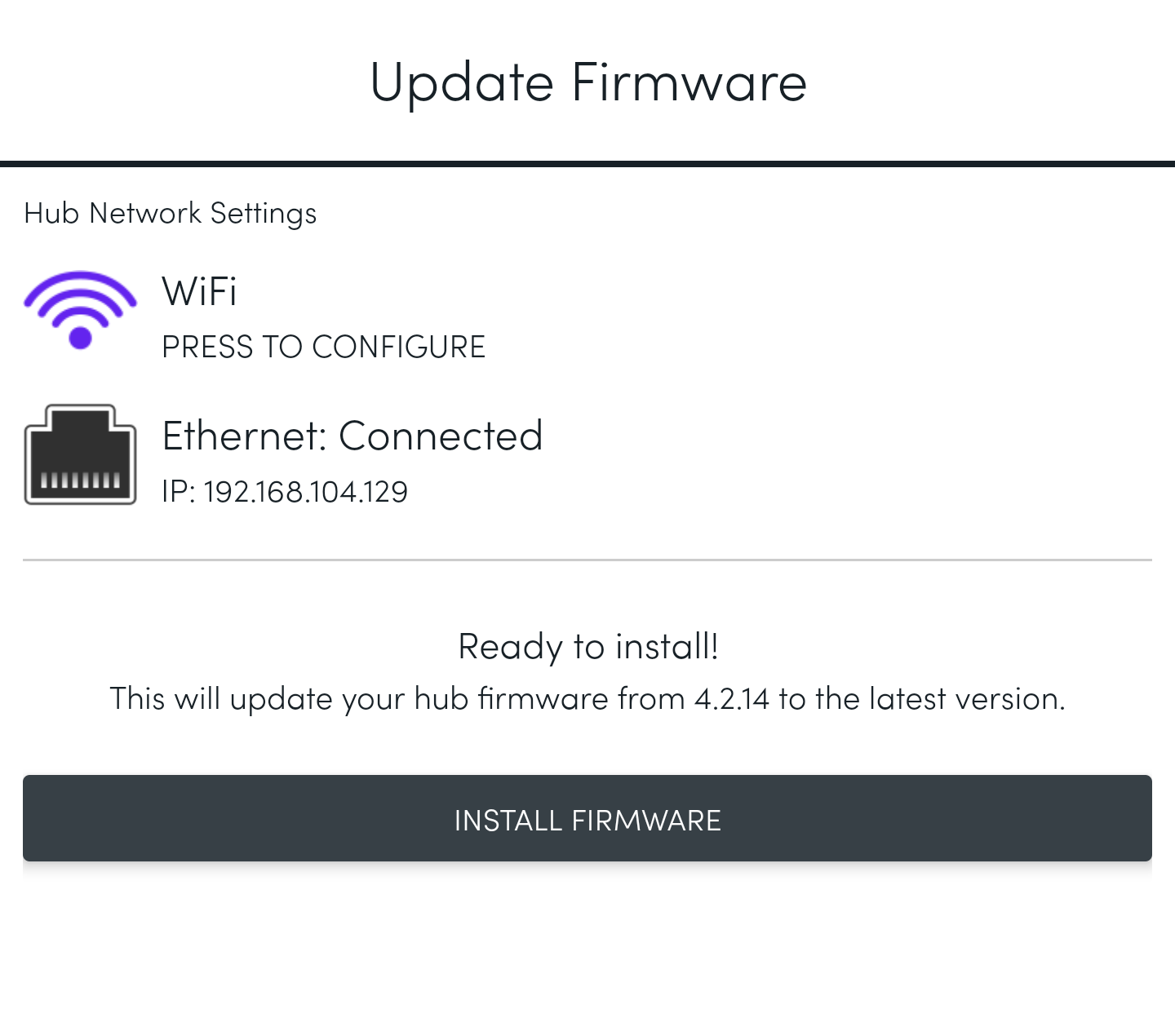
When I hit the "Install Firmware" button, the app switches to a "Downloading" screen. Packet captures from the network my Flic Hub is on show it's opening an HTTPS connection to api.flic.io when this happens. A very small (<2 KiB encrypted) amount of data is exchanged, then the devices gracefully close the connection. The app then shows "Done" with "Firmware already latest version".
Is there a way to manually update firmware? The Hub's serial number is HBACG46-44223 if you'd like to check logs.
-
@hmmwhatsthisdo-flic Can you please try to update the firmware to the latest version (should be 4.4.2)?
-
@Emil Can you describe how to enable this feature now that it's available on Android?
I have version 3.13.1 of the Flic Android app, with Hub LR firmware version 4.2.14. When I open my Hub in the Flic app, then pick "Providers" from the ellipsis menu in the upper right, I don't see any Flic Hub Studio provider listed.
-
Nice! It took me some time to get going with it, but I managed to create a script to control my Yamaha receiver volume & playback status using the Flic Twist and the Hub Studio.
Github: https://github.com/loosrob/Flic-Studio-Yamaha-control
-
Really excellent to finally (!) have this released.
It's working well for me.
Thank you!
-
@mosthated The Android app with this functionality has now been released!
-
I am debating on if it is even worth asking if there is an expected ETA on the Android release..
-
Referenced by
 Emil
Emil
-
@mosthated Sorry forgot to mention that only the iOS app shows this provider right now. It will come later to Android.